How to create a static list audience in Movement
Lists offer an alternative to criteria-based search audiences and can be created via the + Create a list button near the top-right of the Audience home screen.
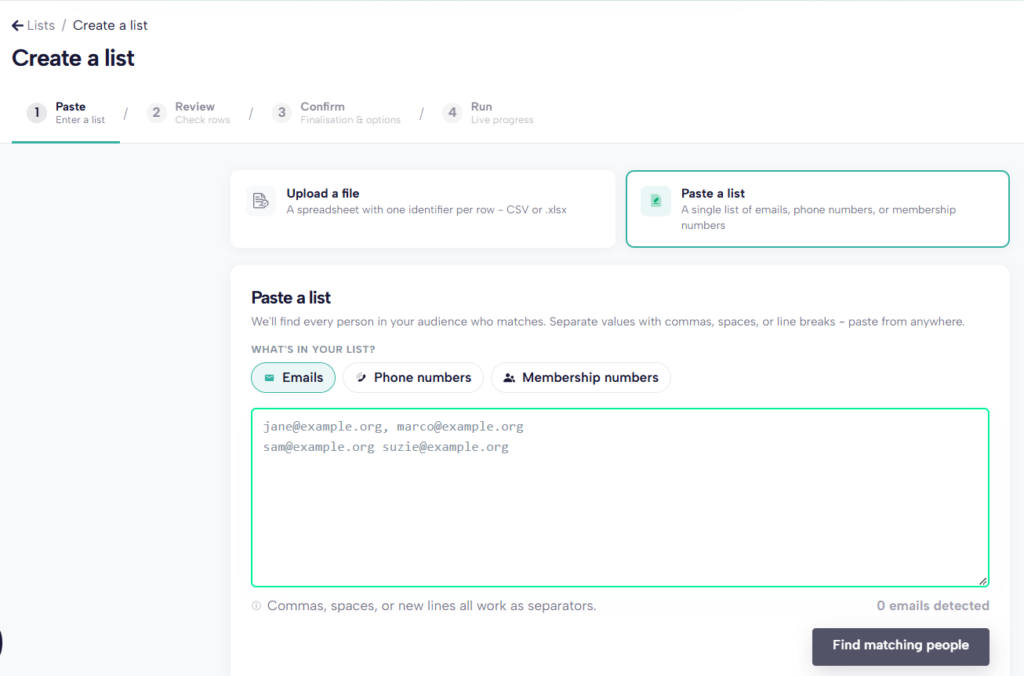
A list can either be uploaded as a .csv of .xlsx file or pasted into the space provided on screen.
You must include either the preferred email address that is registered with Prospect/Bectu or a membership no. If the information added matches an existing member in Movement, the contact record will be added to your list.
Once a list has been created, it’s possible to add additional people via a lookup. On the list details page, there is an Add people button above the listing. Use this to find members to add using their name, email or membership number. Once you find the matching contact, click to add them to your list.
When viewing the list, each member row has a red Remove button at the end to easily remove them from the list.
Unlike search audiences which are dynamic and will automatically update if you refresh the count or use them in a mailing, a static list is fixed. You will need to manually add or remove your members. Members in lists who leave the union or who you no longer have access to mail, are removed from your list.
Lists are useful for creating audiences that are not easily defined by data we have in Movement. For example an ad hoc group like our branch exec.